.svg)
.svg)


.png)
.png)

.svg)
.svg)
Make laser marking versatile
Flexible shooting with MATRIX X-SUPPORT and FLEXSTATION
Laser marking is mandatory in many industries: serial numbers, article codes, UDI, batch or traceability data. The laser can work with high precision — but only if the component is in a defined position every time.
And this is exactly where the bottleneck often occurs in practice: not the laser, but the recording.
When product portfolios grow, variants increase and geometries change, classic, component-specific nests scale poorly. They tie up budget, require space and extend set-up and start-up times.
In this article, we show two ways in which laser marking can be set up robustly and efficiently with a wide range of variants:
- manually, quickly and flexibly with MATRIX X-SUPPORT modules
- programmable and automatable with MATRIX FLEXSTATION and pallets
Challenge: laser marking in a high-mix environment
In labeling practice, two worlds come together:
- The laser process is standardized and repeatable.
- Pick-up is often a mix of special parts, workarounds and experience.
Typical symptoms when the intake does not grow with the variety of variants:
- Setup costs increase with every new geometry.
- Components must be manually aligned, underlaid or readjusted.
- Rejection risk is increasing (wrong position, wrong labeling area, focus position does not fit).
- Equipment inventory is growing (more nests, more storage, more handling).
- Changes to the component result in new hardware.
The goal is therefore not “the perfect device for a part,” but scalable logic: a recording that adapts quickly to different geometries — while remaining reproducible.
Approach: Two variants, one principle
Depending on the level of automation and quantity, there are two useful setup variants. Both follow the same principle: defined component position instead of trial and error.
Version A: Manual laser marking with X-SUPPORT modules
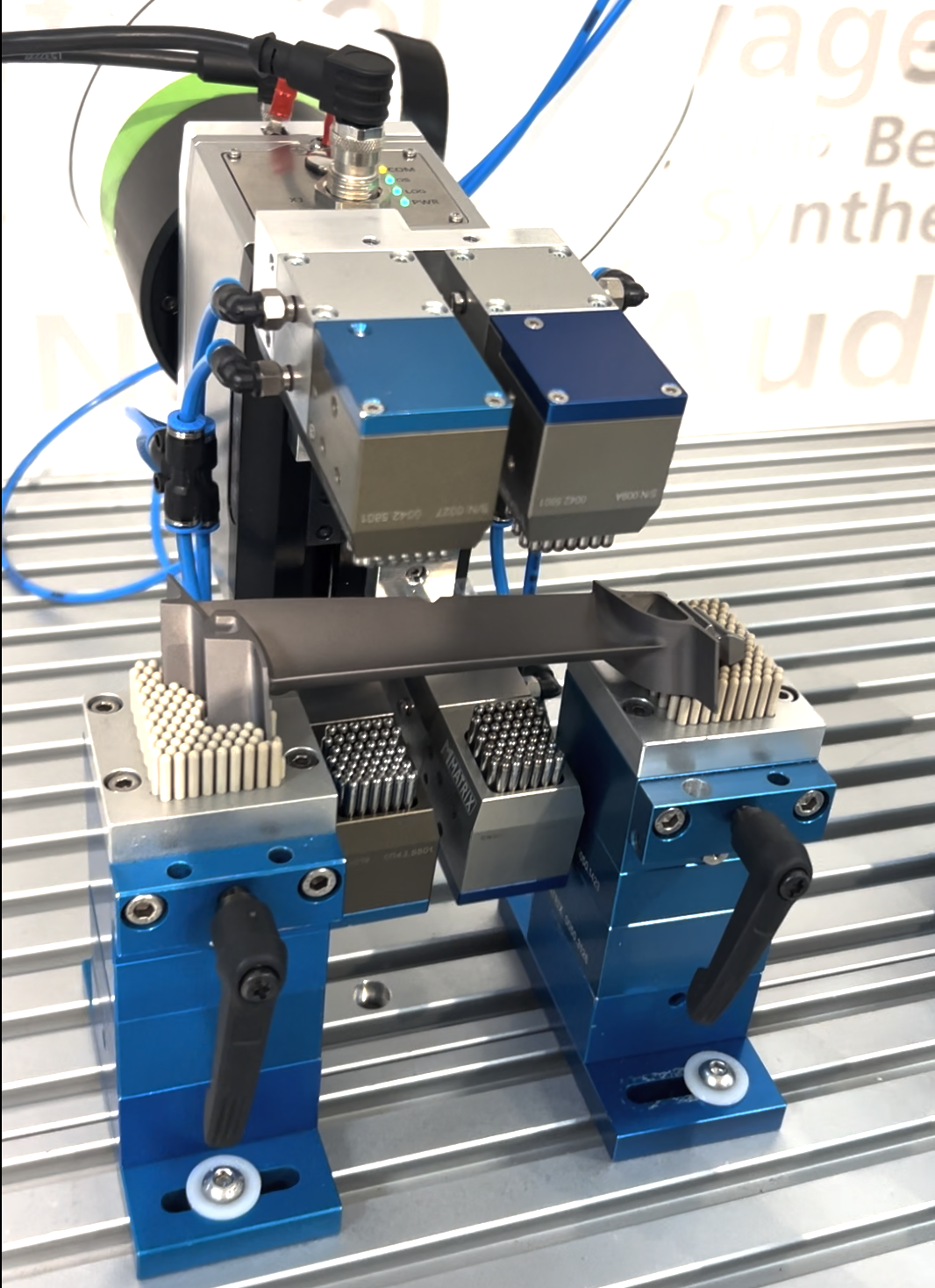
The X-SUPPORT is designed for precise measurement and marking of small to medium-sized components — including laser marking; PEEK pins are optional for sensitive surfaces.
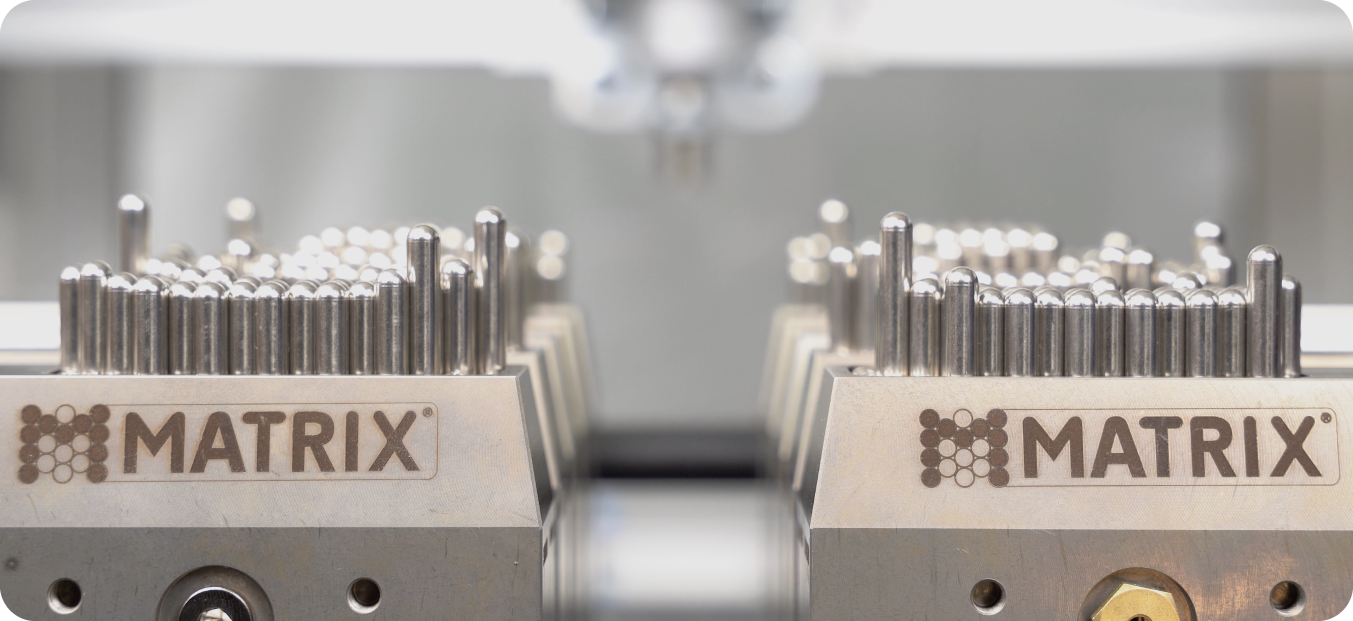
The idea: Instead of forcing a component into a fixed nest, the support is flexibly adapted to the geometry using pins. This allows the component position to be defined stably without making a separate image for each variant.
Customer example: ZEPF MEDICAL INSTRUMENTS
In a user statement, ZEPF MEDICAL INSTRUMENTS describes a product portfolio of 15,000 articles — the variety of variants in the exciting geometries is correspondingly high. A solution was sought for the laser marking process that covered this diversity.
When variant A is particularly suitable
- Many items/variants, but manual labeling (e.g. workstations, workshop, rework, spare parts production)
- Frequent product changes, low to medium quantities
- Objective: quick changes and stable component position — without building up equipment inventory
Version B: Programmable holder for laser cells with FLEXSTATION and pallets
When laser marking is partially automated or fully automated (e.g. with workpiece carriers, handling or integrated stations), the requirements increase:
- Change must be even faster.
- Setups should be digitally documented and retrievable.
- The recording should be able to be derived from CAD instead of being set up manually.
This is exactly where FLEXSTATION comes in: From CAD files to ready-to-use production in around 15 minutes — without retooling and without special devices.
What does that mean in the caption
- Using CAD data instead of redesigning a device
FLEXSTATION is compatible with common formats such as STEP, IGES and DXF. - Automatically derive setup
The software recognizes geometry, position and vertices and creates the setup. - Pallet principle for quick changes
Setups can be transferred to standardized carriers/pallets. As a result, the laser process is not dependent on a single, component-specific nest. Changeovers between articles can be planned — including a clear allocation of “which recipe belongs to which part”. - Integration into the line
The FLEXSTATION is ideal for connecting to PLC, CNC and robotics; there are also integrations via OPC UA, MQTT and REST API.
effect in the laser process
- Less set-up time: Switching between articles can be planned and is faster (manually or automatically).
- Less special hardware: fewer component-specific nests, less storage and handling.
- Higher process reliability: Defined component position reduces incorrect markings and rework.
- Faster introduction of new variants: New articles can be set up using CAD data instead of waiting weeks for devices.
- Better scalability: High-mix can be managed without the tool landscape exploding.
Quick check: Which variant is right for your laser process?
Variant A (X-SUPPORT) is often the quickest way to get started when the labeling is manual and the variety of variants is high.
Option B (FLEXSTATION + pallets) is particularly worthwhile if:
- changeover times are a bottleneck
- setups must be documented and reproducibly retrievable
- or the lettering is to be integrated into an automated line.
Conclusion: The laser is precise — make the recording just as flexible
Laser marking only really scales well when the workpiece holder keeps up with the variety of variants.
With X-SUPPORT, high-mix lettering can be implemented quickly and robustly manually. With FLEXSTATION, the next step is possible: CAD-based, programmable setups and quick changes via pallets/recipes — all the way to integration into automated laser cells.
If you are currently labeling a lot of articles and your recording is becoming a bottleneck, talk to us — we will be happy to discuss which setup method (manual or programmable) best suits your process.
.svg)

.png "Footer Shadow")